 WHOIS
WHOIS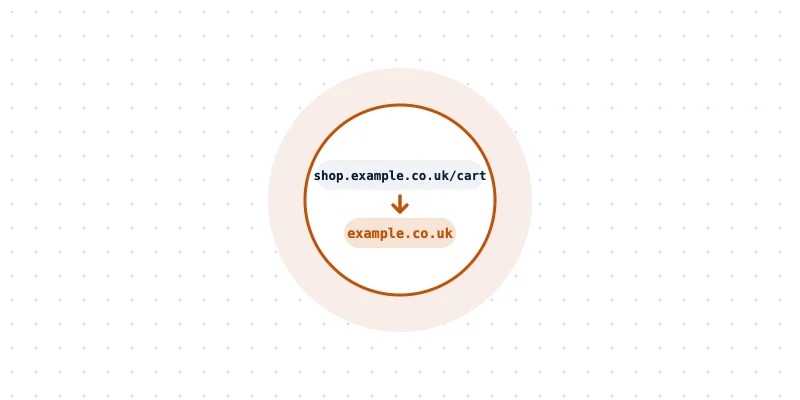
Quick answer: Parse the URL with a proper URL parser to get the host, normalize it to lowercase without a trailing dot, skip IP addresses, then apply the Public Suffix List to find the registrable domain. Forhttps://shop.example.co.uk/cart, the registrable domain isexample.co.uk, which usually identifies the company.
Sales teams, analysts and developers often have long lists of URLs and need a clean company domain for each one. The question of how to extract registrable company domain from URL lists comes up in lead matching, analytics clean-up, security tools and log analysis.
The task looks simple, but the obvious shortcut fails on many real-world addresses. This guide explains the reliable method and the mistakes to avoid.
Key takeaways
- The registrable domain is the part of a host name that someone can actually register.
- Taking the "last two parts" of a host name fails for endings such as
co.uk. - The Public Suffix List is the standard way to find where the registrable part begins.
- URLs must be parsed properly first, because tricks such as user names and ports can mislead simple code.
- A registrable domain usually points to one organization, but not always.
The terms that matter
In https://blog.shop.example.co.uk:8443/page?id=1, each part has a name:
- Scheme: https
- Host:
blog.shop.example.co.uk - Port: 8443
- Public suffix:
co.uk, the ending under which people register names - Registrable domain:
example.co.uk, the public suffix plus one more label
The registrable domain is sometimes called eTLD+1, short for effective top-level domain plus one label. For most addresses on everyday endings such as .com, it is simply the name people recognize, such as example.com.
Why the simple shortcut fails
A common first attempt is to split the host on dots and keep the last two parts. That works for blog.example.com, which gives example.com. It breaks quickly elsewhere:
| Host | Last two parts | Correct registrable domain |
|---|---|---|
shop.example.co.uk | co.uk | example.co.uk |
news.example.com.au | com.au | example.com.au |
alice.github.io | github.io | alice.github.io |
www.example.com | example.com | example.com |
The github.io case surprises many people. Platforms that give each user their own subdomain can add their ending to the Public Suffix List, so alice.github.io is treated as a separate site, not part of github.io.
The Public Suffix List
The Public Suffix List is a community-maintained list of every ending under which names can be registered, from simple endings such as com to multi-part endings such as co.uk. It started at Mozilla and is now used by browsers for security decisions, such as which sites may share cookies.
It has two sections: suffixes run by domain registries and suffixes added by private platforms, such as hosting and blogging services. For company matching, the platform section often needs extra thought, as explained below.
How to extract registrable company domain from URL data, step by step
1. Parse the URL properly
Use a real URL parser rather than splitting text by hand. A parser handles the scheme, user names, ports, paths and query strings correctly.
This matters for safety, too. In https://example.com@login.example.net/, the host is login.example.net, not example.com, because everything before the @ sign is treated as a user name. Simple text splitting gets that wrong.
2. Normalize the host
Convert the host to lowercase, remove any trailing dot and decode percent-encoding where needed. Internationalized names should be converted to their ASCII form, known as punycode. For example, bücher.example becomes xn--bcher-kva.example.
3. Skip hosts that are not domains
IP addresses such as 203.0.113.10, and names such as localhost, have no registrable domain. Flag them separately instead of forcing a result.
4. Apply the Public Suffix List
Find the longest public suffix that matches the end of the host, then keep one more label. Well-tested libraries do this reliably: tldextract and publicsuffix2 for Python, tldts and psl for JavaScript, the publicsuffix package for Go, and php-domain-parser for PHP.
5. Keep the list up to date
New endings are added regularly. Libraries that bundle a copy of the list should be updated from time to time, or configured to refresh it, so that new endings are recognized. A stale copy can give the wrong answer, for example treating a new platform suffix as an ordinary domain.
Handling messy input
Real lists are rarely clean. A few habits prevent most errors:
- Missing scheme: an entry such as
example.com/pricingis not a full URL. Addinghttps://in front lets the parser read the host correctly. - Extra spaces and capitals: trim spaces and convert the host to lowercase before anything else.
- Email addresses: for an entry such as
sales@example.com, take the part after the @ sign as the host. - Wildcards and placeholders: entries such as
*.example.comorN/Ashould be cleaned or flagged instead of parsed. - Duplicates: many URLs share one registrable domain, so remove duplicates after extraction, not before.
From domain to company
A registrable domain is a strong signal, but turning it into a company name needs a little care:
- one company may use several domains, such as country versions and old brand names;
- platform domains, such as a store on a hosted shop builder, belong to the platform, not the merchant;
- parked or expired domains may no longer belong to the company in the list.
Domain Information helps confirm who runs a domain and how old it is. For many domains at once, Bulk Domain Lookup checks a whole list in one go, and TLD Lookup explains unfamiliar endings.
Quality checks before using the results
After extraction, a few quick checks catch most problems: remove duplicates, review any result that equals a known platform suffix, and look manually at hosts that produced no result. Reading a sample of twenty or thirty rows usually shows whether the process worked. Keeping the original URL next to the extracted domain in the output also makes mistakes easy to trace back.
Summary
The answer to how to extract registrable company domain from URL data is to parse first, normalize second and let the Public Suffix List decide where the registrable part begins. For URLs pulled from server logs, the guide on checking domains in a log shows how to collect them, and Domain Information is the quickest way to confirm who is behind each result.
Frequently asked questions
What is the difference between a domain and a registrable domain?
A domain can be any name in the hierarchy, including subdomains such as shop.example.com. The registrable domain is the part someone actually registered, such as example.com.
Why does github.io count as a public suffix?
GitHub added it to the private section of the Public Suffix List so that each user's site is treated as separate. That stops one user's site from setting cookies for another.
Can a regular expression extract the registrable domain?
Not reliably. Endings such as co.uk, com.au and platform suffixes change the answer, so a maintained Public Suffix List library is the safer choice.